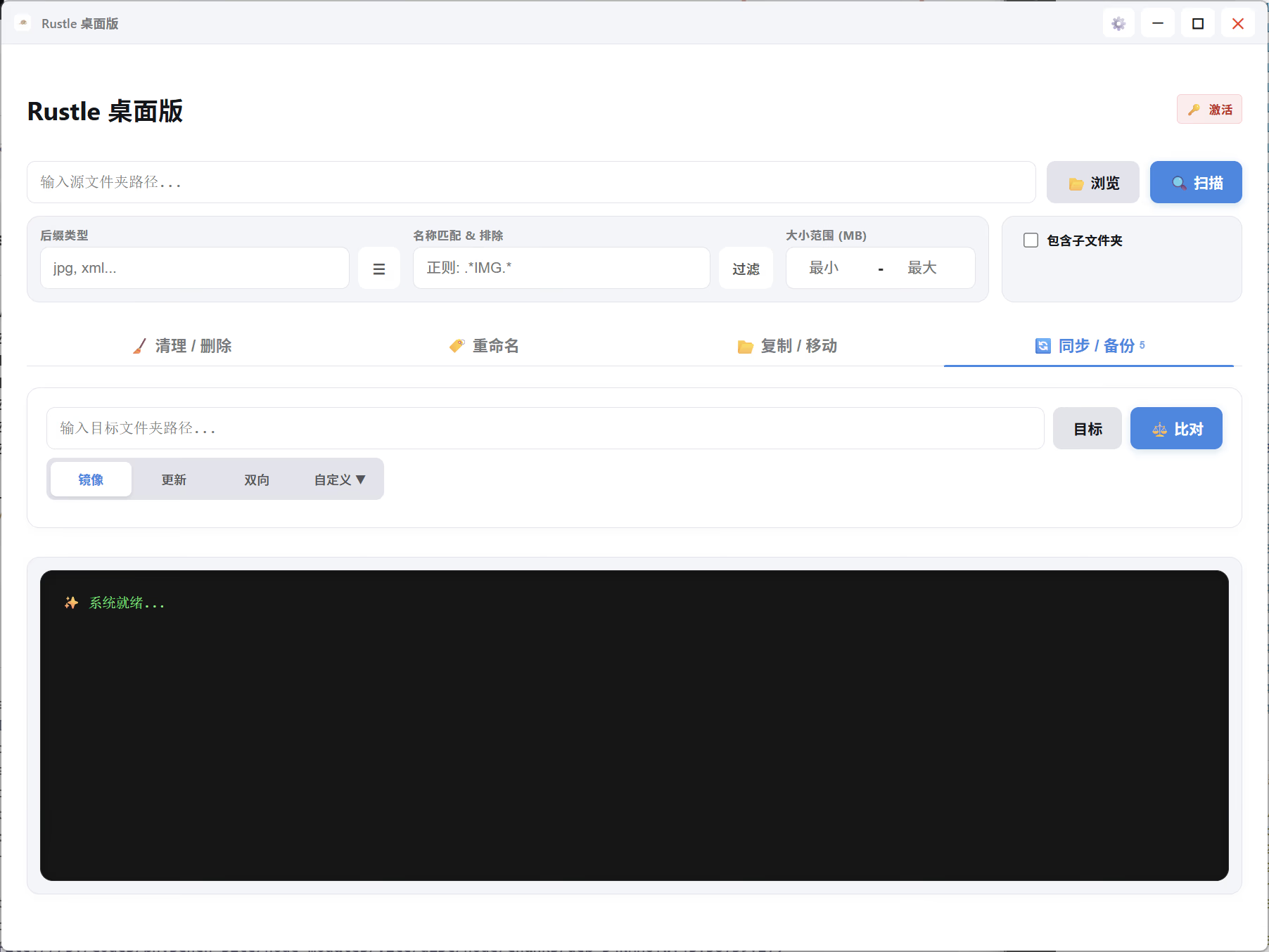
RustleFlow is a cross-platform (Desktop/Mobile) batch file organization and synchronization tool designed for photographers, designers, content creators, and office professionals.
Built on Tauri (Rust + React), it combines high performance with a modern user experience. Whether managing dozens or thousands of files, RustleFlow remains fast and responsive.
Key Features
We understand that “accidental clicks” are the biggest fear in batch operations. RustleFlow is designed to be precise, controllable, and safe:
- 🛡️ Safety Buffer (Cancelable Progress Bar): This is our safety baseline. All batch operations (delete, move, rename) feature a progress bar buffer. You can cancel the operation instantly at any time while the bar is loading. This buffer period is your safety net against accidental execution.
- 🧹 Batch Scan & Clean: Instantly find and remove empty folders, temporary files, or redundant data. Supports filtering by file extension, regex, file size, and
.gitignore-like syntax. - 🏷️ Smart Batch Rename: Rename files using date prefixes, regex replacement, or templates. Preview is mandatory before execution to ensure the result is exactly what you expect.
- 📂 Flexible Transfer & Archive: Batch move or copy files based on your rules. You can preserve the original folder structure or flatten files into a single directory.
- 🔄 Multi-Strategy Sync: Supports Mirror, Incremental, and Bi-directional sync modes, perfect for multi-device backups or team collaboration.
- 👁️ Visual Filtering: Use the visual popup interface to easily set “Include” or “Exclude” rules, pinpointing exactly which files or folders to process.
- 🌍 Multi-Language Support: Native English and Chinese interfaces that automatically adapt to your system language.
Use Cases
1. Photographers & Videographers
- The Problem: SD cards are cluttered with mixed RAWs, JPGs, videos, and thumbnail files.
- The Solution: Use “Include/Exclude Rules” to select only
*.RAWand*.MOVfiles while ignoring*.JPGand*.THM. Batch transfer them to your work drive in one click.
2. Designers & Artists
- The Problem: Final project folders are messy, containing source files, exports, and references.
- The Solution: Use rules to keep only
*.psdor*.aisource files. Combine with “Batch Rename” (adding date/project prefixes) to archive them cleanly.
3. Content Creators (Multi-Device)
- The Problem: Switching between desktop, laptop, and mobile leads to out-of-sync files.
- The Solution: Use RustleFlow’s “Sync” feature (Bi-directional/Mirror) to keep your working directories identical across all devices.
4. Office Admin
- The Problem: Workstations filled with reports, temporary docs, and clutter.
- The Solution: Set “Exclude Rules” to protect important folders, then safely clean up
*.tmp,*.bak, and other history files.
5. Students & Teachers
- The Problem: References, slides, and homework are scattered across multiple downloads folders.
- The Solution: Use “Scan” to grab all PDF, Word, and PPT files and batch archive them into a specific “Course Materials” directory.
Quick Start
- Select Source: Click “Browse” or input the path to select your target folder.
- Set Filters: Configure filters based on extension, regex, size, or include/exclude rules.
- Preview: Review the list of pending changes to ensure accuracy.
- Execute & Cancel: Click execute. If you made a mistake, click “Cancel” immediately while the progress bar is running.
Downloads
RustleFlow: Make file management simple, efficient, and safe.